


Craftarena
3.4298.00 Reviews
App Specs
- Version
- 2.4.13
- Updated On
- License
- Free
- Downloads
- 10,000,000+
- Developer
- CRYPTO FINANCIAL SOLUTION SOFTWARE COMPANY LIMITED
- Categories
- Simulation
- Platform
- Android
Screenshots
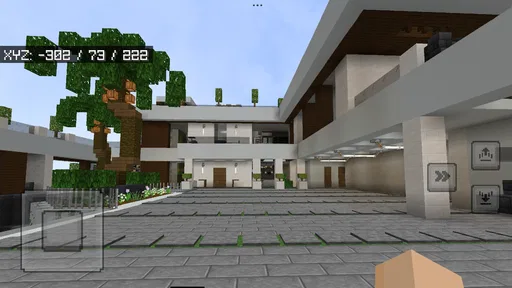
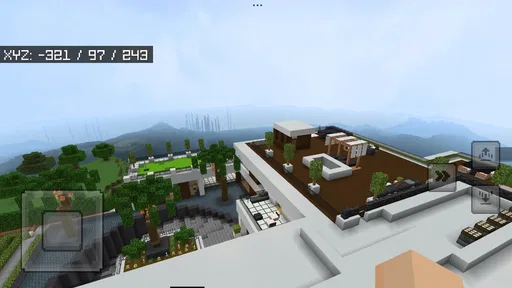
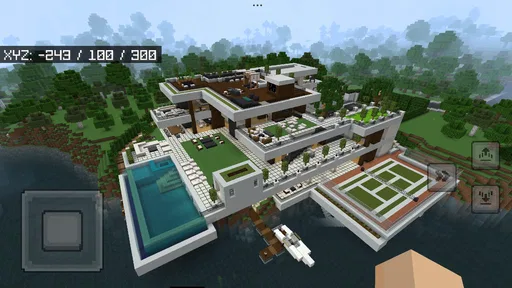
 Analysis by AppCompare
My first impression of Craftarena is that it asks you to make your own fun rather than guiding you through a tightly scripted adventure. This is a free simulation game built around a block-based world, so the appeal is in exploring, building, and working out how to keep going. I’d recommend it to someone who enjoys shaping a place at their own pace, but not to a player looking for a clearly explained campaign or a polished sequence of missions.
Choosing a first goal that fits your time
One useful way to decide whether this style suits you is to match the game to the time you actually have. If you only have a short break, give yourself one concrete task rather than opening the game with the vague intention to “make progress.” A small change to a shelter or a brief exploration outing can make a session feel complete without requiring you to remember a complicated plan later.
For a longer visit, I’d still avoid beginning with an ambitious design. Divide the idea into stages and finish one visible piece before moving on. That makes it easier to tell whether you enjoy the actual process of shaping a block world, rather than only the image of a finished build. It also gives you a natural stopping point if the session becomes less enjoyable.
Where the experience can feel unclear
In a build-and-survive game, the freedom that makes the world inviting can also leave new players unsure what to do next. Craftarena’s brief description gives the broad idea, but it doesn’t promise a step-by-step introduction. If you open it expecting the game to spell out a goal and a route to reach it, the early experience may feel less directed than you’d like.
I’d approach the first session as a little experiment, not a race to create an impressive base. Look around, learn how the controls respond, and try a small building task before committing to a larger design. That makes it easier to tell whether the basic rhythm suits you: exploring for a while, placing blocks, then deciding what you want to attempt next.
Another likely sticking point is the gap between an idea and a workable plan. It’s easy to picture a grand structure before you’ve learned how the game handles ordinary actions. I find it more satisfying to start with a compact shelter or a simple landmark, then expand once I understand the practical limits of building and movement. The useful lesson is to treat early builds as prototypes rather than permanent masterpieces.
That approach also helps if survival pressure competes with creative play. A player who wants uninterrupted construction may prefer to keep early projects modest until the basic loop feels familiar. Someone who enjoys figuring things out as they go may find that uncertainty part of the appeal. The best first goal is a small one you can finish while learning.
Worth Reading Before You Choose

EA SPORTS FC Mobile 26 Is a Bigger Football Game, but It Takes Time

Flipboard Shows What News Apps Must Do Beyond the Feed

Switching to Android Auto Means Rethinking Your Driving Routine

Google Calendar Makes a Crowded Week Easier to Manage

Ludo King Makes the Most of the Minutes Between Plans

Baby Panda World Brings Quick Play to Modern Phones, but Its Game Library Feels Busy
Make the first session easier
Before beginning a long play session, I’d check that the game has finished installing and that the device has enough free space and battery for ordinary use. These are simple checks, but they can prevent a half-finished download or an unexpected shutdown from looking like a problem with the game itself. If the first launch seems slow, giving it a moment before repeatedly closing and reopening it is a sensible first move.
Craftarena is listed for devices running Android 7.0 or later. If it will not install or open, checking the operating-system version is a useful first step; so is confirming that the device can complete downloads reliably. The game is free, which lowers the barrier to trying it, but that doesn’t remove the practical need for a compatible, functioning device.
I’d also begin with a short test session rather than immediately setting aside a long stretch of time. Use that first visit to see whether the controls feel comfortable and whether the game’s pace suits you. If you’re playing on a phone, a small build is a particularly useful test: it lets you judge movement and placement before you put effort into something large.
Recovering a session without losing your patience
If something goes wrong, I’d separate a gameplay question from a technical one. When an action doesn’t work as expected, try it again calmly and pay attention to what happened just before the issue. A repeatable problem during one particular action suggests a different next step from a one-off pause or interruption. Keeping the test small makes it easier to notice that distinction.
If the game closes or stops responding, reopen it once and see whether the issue returns. If it does, restart the device and check that the game is up to date; the current version is 2.4.13. These ordinary troubleshooting steps are more useful than changing several things at once, because they help narrow down whether the interruption was temporary or persistent.
For a building task that seems to have gone off course, I’d pause before tearing everything down. Compare the result with the intended shape, identify the smallest section that needs changing, and adjust that piece first. This is a practical habit in any block-building game, but it matters especially when you are still learning how Craftarena responds to your choices. Smaller corrections preserve progress and teach you more than restarting every time a design feels awkward.
It’s also worth distinguishing a design problem from a connection or device interruption. If the game is behaving inconsistently, avoid making a series of major changes while you’re unsure whether the session is stable. A short pause and a controlled retry can save frustration. I wouldn’t assume that every hiccup means a build is lost, nor would I promise that every interruption can be recovered; the sensible approach is to test gently before investing more time.
When the problem may be outside the game
Not every failure to install or launch points to Craftarena itself. An older operating system, low available storage, an unreliable download, or a device that needs a restart can all interfere with a game. Checking those basics first helps avoid blaming the game for a problem that affects other apps too.
The same reasoning applies to performance that changes from one session to another. Close other demanding apps, allow the device to cool if it feels hot, and try again under more ordinary conditions. These are general device checks, not a guarantee that every issue will disappear, but they offer a straightforward way to narrow down the cause without making risky changes.
If you’re comparing it with familiar alternatives, think about what you want from the block-building genre. Some games are a better fit when you want a strongly guided story, a carefully staged tutorial, or a defined competitive goal. Craftarena’s stated focus is a block world for exploration, construction, and survival, so I’d choose it for open-ended tinkering rather than for a promise of narrative direction. That distinction is more useful than assuming every game with blocks offers the same kind of session.
Who is likely to enjoy it?
I can see Craftarena working well for casual players who like returning to a project in short bursts. A realistic use case is a quiet break: spend a few minutes exploring, make one small improvement to a structure, and leave with a clear next idea. That kind of session doesn’t require you to plan a huge build in advance, and it makes the game easier to enjoy even if you have limited time.
It may also suit someone who likes learning by trial and error. Rather than waiting for a long explanation, you can test a small idea, observe the result, and refine it. My practical tip is to keep one simple goal in mind per session—such as improving a shelter or finding a new place worth exploring—so the open-ended format feels purposeful instead of aimless.
On the other hand, I’d skip it if you mainly want a clear checklist, a deep story, or a tightly controlled building tool. Players who dislike uncertainty may find the freedom less relaxing than it sounds. And if you want your creative time to be entirely separate from survival-oriented play, consider a more focused creative alternative in the same broad genre.
What the player response suggests
Craftarena has an average rating of 3.4 from around 16,000 ratings, alongside roughly 300 written reviews. It has passed 10 million installs, which shows that many people have tried it, but popularity alone cannot tell you whether its particular style will click for you. I’d read the mixed rating as a reason to set realistic expectations: go in for the core block-world idea, and judge the experience by whether its pace and controls suit your own habits.
The game is rated Everyone, so its age classification is broad. It was released on December 11, 2023, and is developed by CRYPTO FINANCIAL SOLUTION SOFTWARE COMPANY LIMITED. Those details help identify the title, but the decision still comes down to how much direction you want and how patient you are with learning a game through hands-on experimentation.
A practical comparison before you commit
Compared with a story-led adventure, Craftarena puts more of the burden of choosing a direction on you. That can be a welcome change when you want to make your own plans, but it is less helpful if you depend on quest markers or a clear sequence of objectives to keep momentum. Compared with a dedicated creative builder, its survival-oriented framing may also make it a less comfortable pick for someone who wants construction to be the whole point.
I’d use that distinction to choose between alternatives rather than comparing block games by appearance alone. Ask whether you want discovery, a guided route, or a focused design space. Craftarena makes the most sense when exploring and building are both part of the appeal and you are comfortable supplying your own short-term goals. If you already know you want a campaign or pure creative control, choosing a game built around that preference is likely to be less frustrating.
My practical verdict
I’d give Craftarena a try if you want a free, approachable entry into block-based simulation and enjoy setting your own small objectives. It is most appealing when you treat each visit as a chance to explore or improve one thing, rather than expecting the game to supply a complete plan. That mindset turns its open-ended premise into a useful strength.
My reservation is the same feature that gives it room to breathe: a player who needs detailed guidance may have to supply their own structure. Start with a short session, keep the first build modest, and check basic device compatibility if setup goes wrong. If the controls and loose rhythm feel comfortable, there’s a good reason to continue; if you find yourself wishing for a clear campaign or uninterrupted creative mode, a more focused alternative will probably suit you better.
Overall, Craftarena is worth considering for patient builders and curious explorers, especially those who enjoy learning through small experiments. I wouldn’t recommend it as a guaranteed fit for every fan of block games, but I would recommend trying it with realistic expectations: make one simple plan, see how the world responds, and decide from there whether you want to build on the experience.
Pros
- Quick matches make it easy to play in short sessions.
- A range of crafting and building activities keeps gameplay varied.
- Creative play lets you experiment with different designs.
- Multiplayer features can make building more social.
- Accessible controls are easy for newcomers to pick up.
Cons
- Some modes may feel repetitive after extended play.
- Progression can take time if you prefer to unlock content quickly.
- Online play depends on a stable internet connection.
- Playing with others may expose you to disruptive behavior.
- Performance may vary across older or less powerful devices.
FAQs for Craftarena
What is Craftarena?
Craftarena is a crafting-focused game built around gathering materials, making items, and exploring a block-based world. Its appeal is the freedom to experiment: players can collect resources, use crafting recipes, and shape their surroundings rather than follow a strictly linear story. The exact modes, features, and available content may depend on the version you install, so check the store listing for the current description before downloading.
Is Craftarena free to download and play?
The price and payment options for Craftarena can vary by platform, region, and release version. Before installing, check its Google Play or App Store page to see whether it is free, paid, or offers optional in-app purchases. If purchases are available, review their descriptions and your device’s purchase settings, especially if children will be playing. Also check whether any advertised features require payment or an internet connection.
Can I play Craftarena offline?
Whether Craftarena works offline depends on the features included in the version available for your device. Solo crafting or exploration may be accessible without a connection, while multiplayer, account services, advertisements, or online content can require internet access. If offline play matters to you, check the store listing and test the game after installation with your connection disabled. Avoid assuming that every mode will remain available offline.
Is Craftarena suitable for children?
Craftarena’s crafting and exploration focus may appeal to younger players, but suitability depends on its current content and online features. Before handing it to a child, review the age rating, screenshots, and store description, and check whether the game includes chat, multiplayer interactions, advertisements, or in-app purchases. Use device-level parental controls where appropriate, and supervise online play if communication with other players is available.
What should I check before downloading Craftarena?
Confirm that the app is offered by the expected developer and is compatible with your Android or iOS device. Review the latest update date, required permissions, age rating, privacy information, and user feedback on the official store page. Check the download size and whether an internet connection, account, or optional purchases are required. Download from Google Play or the App Store rather than unfamiliar third-party sites to reduce security risks.


